Building Fund Contributions: Access Your Tax-Deductible Receipt
Parents can now access and download their Building Fund (donation) receipts directly through the Compass parent portal.
Please follow the steps below for access:
- Log in to Compass
- Click on their initials (top right)
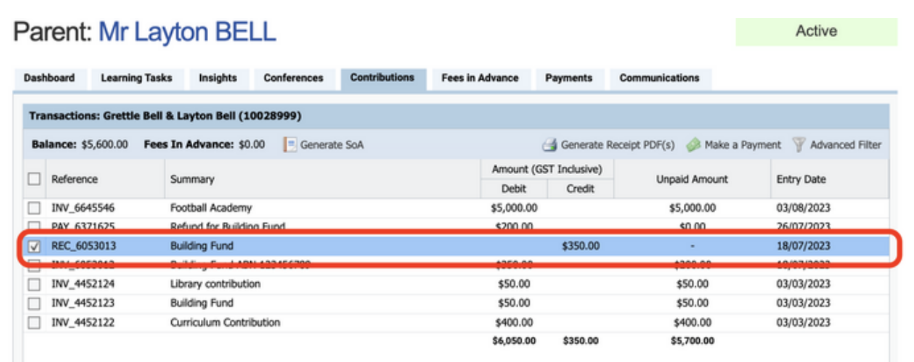
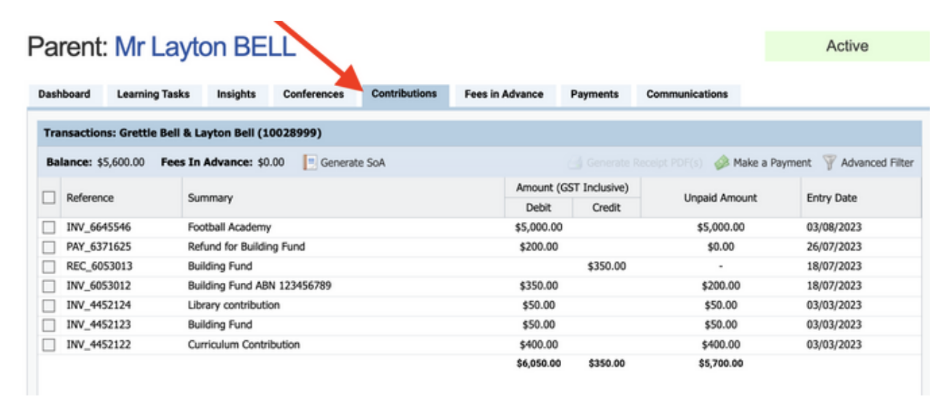
- Select the Contributions tab
- Tick the receipt(s) they want (look for documents with the prefix “REC”)
- Click Generate Receipt PDF’s
- The receipt will download as a ZIP file containing the PDF
For donations, the receipt will typically include a “Voluntary Donation Receipt” page at the end.
Ms Kari Simmons
Business Manager